Showing posts with label turboc. Show all posts

Saturday, 25 August 2012

DOSshellTURBOC

Using command prompt and accessing DOS shell in Turbo C compiler


This post is related to running a simple c/c++ program using DOS shell. 


All these years, we've used TurboC/C++ compiler to run our c/c++ program by using:
-> COMPILE->alt+f9
-> RUN->run+f9.

Follow the below steps to run your c/c++ program using DOS shell->
  1. Open turboc

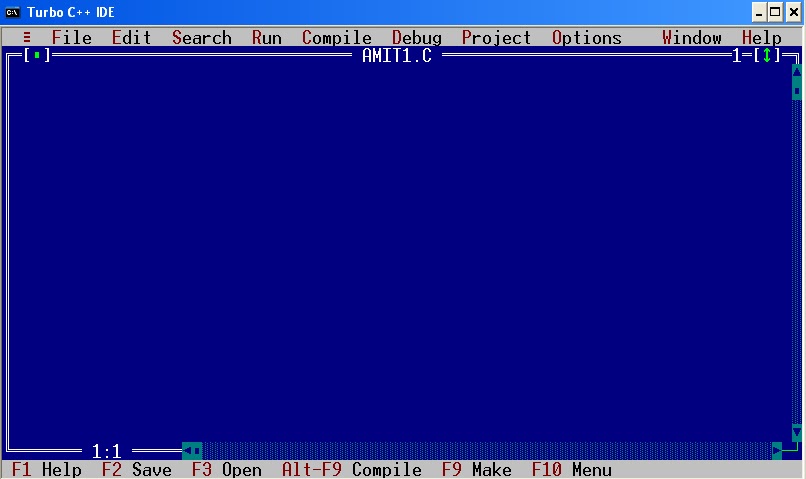
  2. File-> New-> SaveAs-> AMIT1.C
(click on the image)


  3. Write any program, add two numbers program is shown here for simplicity.    


4.  File-> Save (or press F2)  


5.  Now, compile this program first to create it’s exe file.      press->alt+f9 


6.  The most important step, how to reach DOS shell->   

      File -> DOS shell

 7.  DOS shell will open (below)


8. Now enter->  

       AMIT1.exe (name_of_the_file.exe, as we compiled it before) , press ENTER.

      You can see the ouput here i.e. 5 + 10 = 15    


  11.  Write EXIT->       Press ENTER

  12. You’ll be returned to the same blue screen(where your program is visible)..
         Please give your views…Enjoy….


__________________________________________________________________________
Please comment and forward to others if you like this.
Other posts with video tutorial yet to come.....
"I am sure that blogs really help people around the world.
Let us follow this simple thinking of sharing knowledge . . ."

Thursday, 31 May 2012

C code to shutdown your computer


C language code to shutdown your computer...


This post will show a simple example to create a small shutdown application in C Programming.
The snippet shows a simple code to create .exe by compiling it under TurboC/C++ compiler.
I shut down my system in the same way by double-clicking  on  the exe file generated by compiling this program under C language.

//
// -- CODE –
//

// ***********************************************************************
// www.techterabyte.com C example!!!
// -- start of code
// header files
#include<stdio.h>
#include<stdlib.h>
void main()
{
   char choice;
   // enter  yes/no
   printf("Shutdown your computer now(y/n)?");
   printf("\t Yes:y/n),\n");
   printf("\t No:n/n) \n");
   scanf("%c",&choice);
   if( choice == 'y' || choice == 'Y' ) {
      system("C:\\WINDOWS\\System32\\shutdown -s");
   }
  getch();
}
// www.techterabyte.com C example!!!
// --end of code
// ***********************************************************************

Just compile it by using any compiler and create exe file.
I am using  Turbo C/C++ compiler

Below screenshot shows the code:

C programming - techterabyte.com
C program code to shutdown system


The screenshot shows the output which can be seen after -> Ctrl + F9
Enter y or Y and press enter--
C programming - techterabyte.com
enter value

After successfully running the program, copy the exe file from:
  •    TC\BIN\SHUTDOWN.exe
  •    To any location on the computer(or desktop)
  •    Just double click, enter y or Y
  •    Successful shutdown… 


___________________________________________________________________
Please comment and forward to others if you like this.
Other posts with video tutorial yet to come.....

"I am sure that blogs really help people around the world.
Let us follow this simple thinking of sharing knowledge . . ."